A plugin you add to Claude Code
The CTO for founders who don't code
AI builds exactly what you ask for. What you didn't know to ask for, and the risks to head off, Nightflight lays out at every stage.
Not released yet — we'll post how to get it here once it's ready
Your first product is free for a year. You start without registering an email or a card. Works on a Mac. Requires a paid Claude plan and Apple's free developer tools.
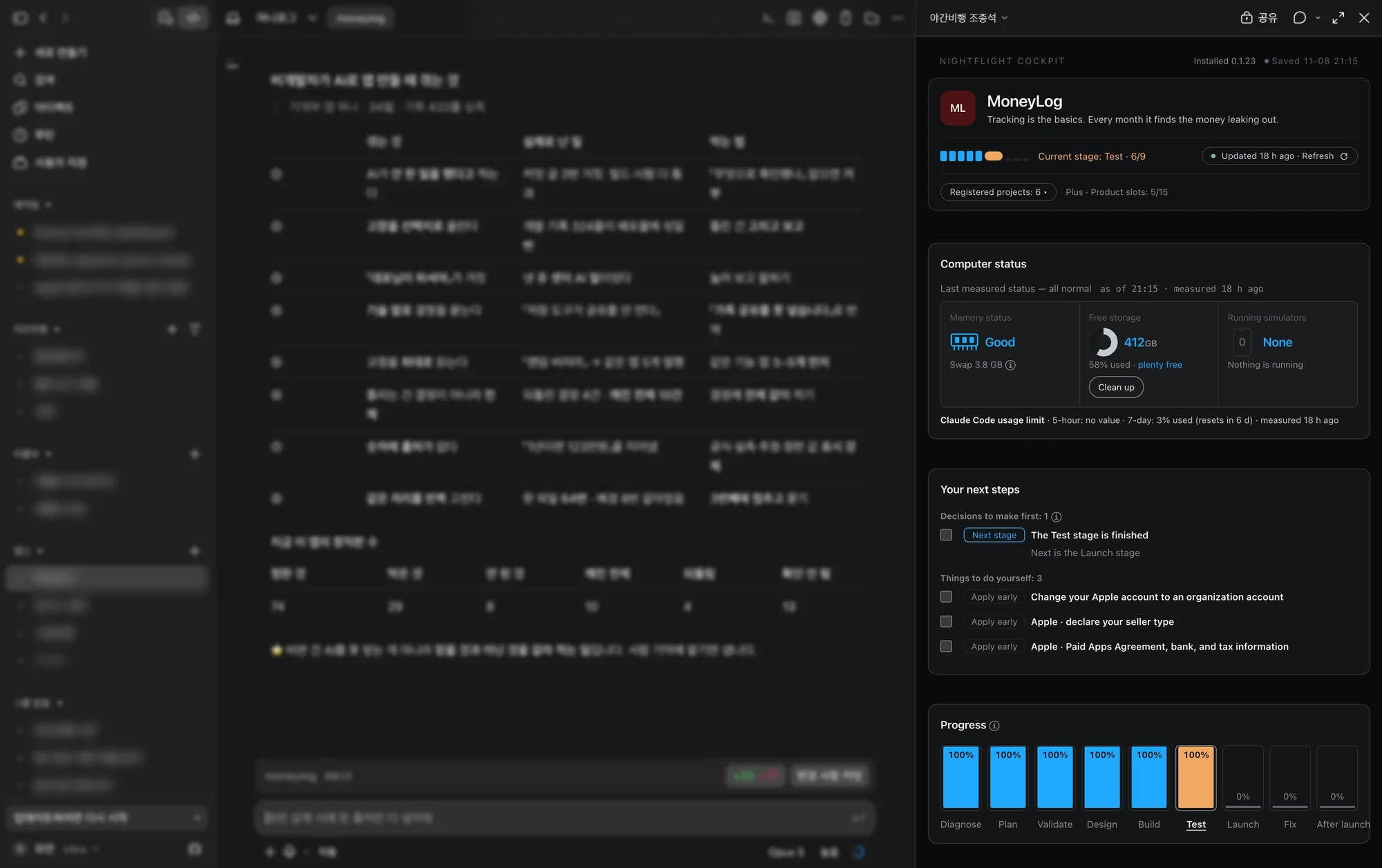
Keep chatting with Claude Code as usual, and copy your next request from the cockpit on the right.
- See your next step in the cockpitProgress, work left and the next request to paste — no developer jargon
- Nightflight proposes the design you didn't ask forIncluding design and features you didn't know to ask for — before you build
- You make every decisionNightflight lays out what to decide and why, records your decisions, and passes them on to new chats
- Hear about real-world failures in advanceAt each stage, Nightflight warns you about failures seen at that stage in real product builds
Lead your product build without knowing how to code
Building a product doesn't happen in an instant. Even if you hire a CTO, the essence and the details of the product are the founder's job. Nightflight is a tool that supplies the development knowledge and process, so a founder without that knowledge can focus on the essence and details of the product.
Nightflight is a plugin you add to Claude Code. Once installed, a cockpit opens beside the chat. You follow the build as a visual status view you can understand without a development background.
Get the proposals a CTO would make, at every stage
If you've never built software, you know the product you want as a user — but not the process of getting it to launch, the design underneath, or the risks to prevent. Nightflight proposes what a CTO would, at every stage.
From planning to running it after launch, it sets out what to decide and what to verify at each stage.
Failure handling and how features interact are mostly invisible to the people using your app. Nightflight researches the standard way to build each feature and works it into the design.
One product had iCloud backup switched on, and the app worked fine. Yet for nine days, not a single record reached iCloud — everything stayed on the phone. Deleting the app would have deleted the records too. Nightflight warns you about real failures like this at every stage.
The cockpit shows finished and remaining work on one screen, named with the features you chose — not technical jargon. Instead of "almost there," you see how many are left.
It lists only the items you need to decide or handle yourself. Click an item to copy a prompt you can paste straight into the chat.
- How read receipts should look
- Decide
- Shrink photos before sending
- Decide
Let's decide “read receipts” — start by telling me what needs deciding
The names on screen are examples
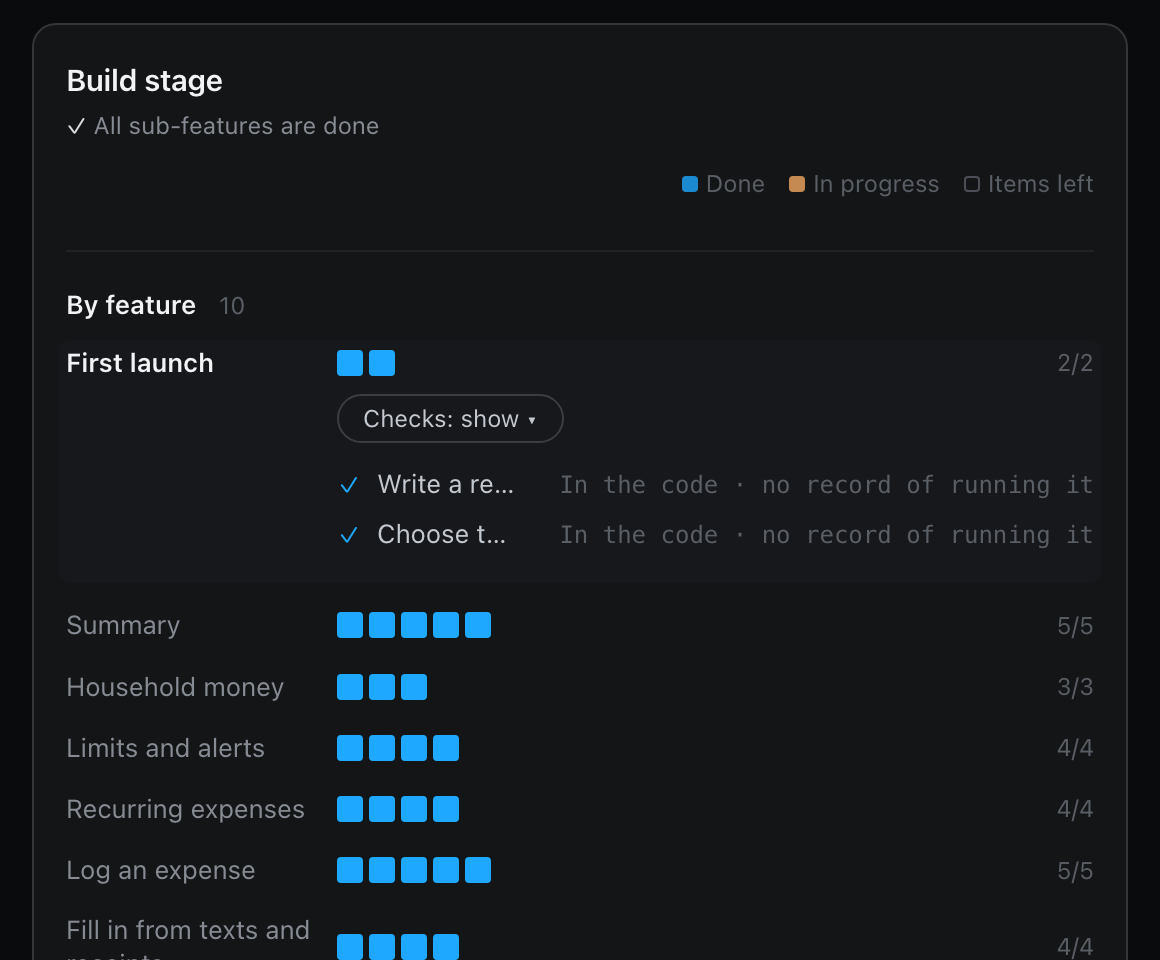
Every decision is recorded with its reason and brought back in your next conversation. When the AI says something is done but nobody checked, it stays marked "not checked."
The program runs and the tests pass, yet some buttons do nothing when you press them. This came up in a real product build.
- Mute alerts
- The button is there, but pressing it does nothing
- Not working
- Leave the group
- The screen exists, but no button leads to it
- Not working
The names on screen are examples
From planning to after launch, get guided on what to do at each stage
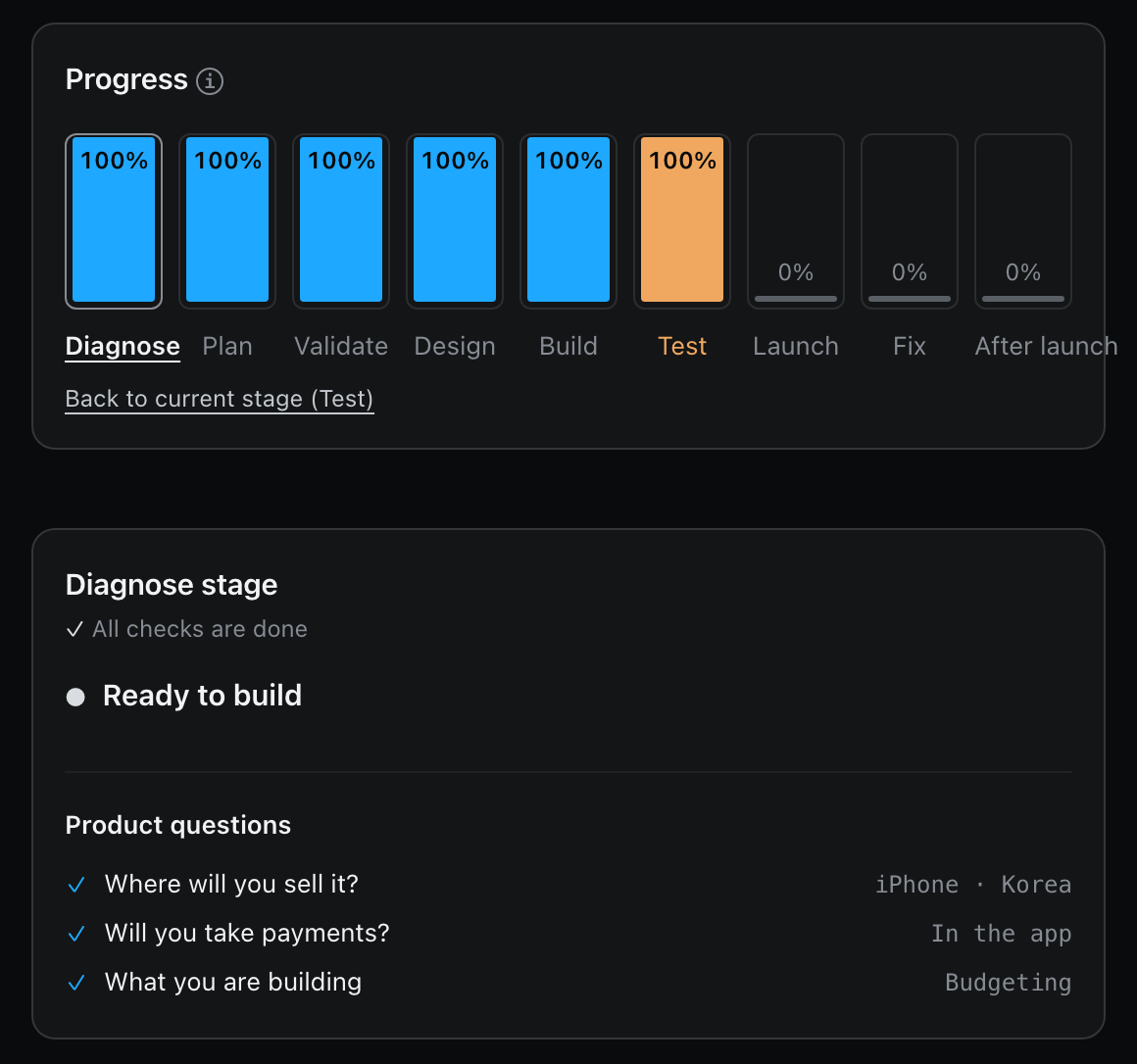
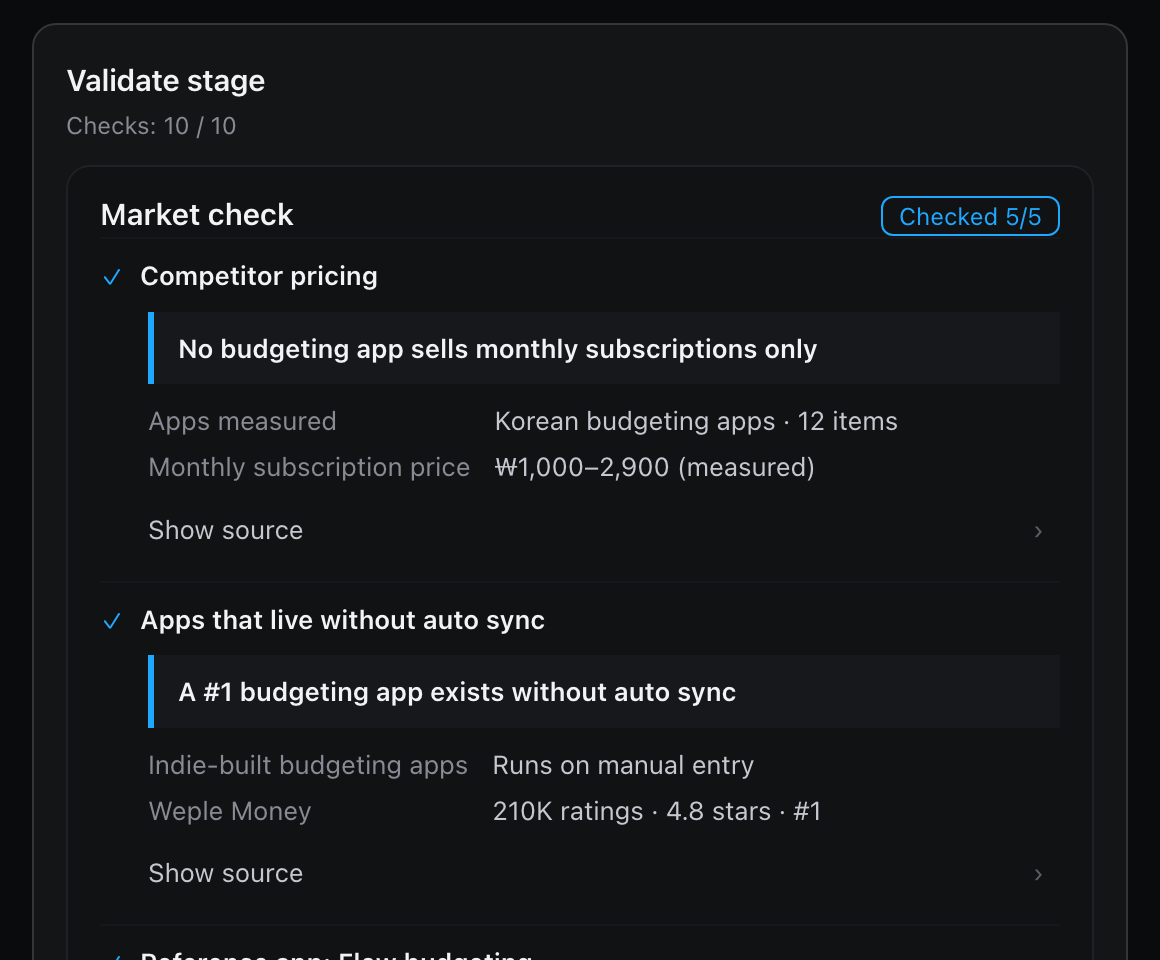
At each stage it shows what to decide and what to verify. A product you've already started can join at any stage.
It sets out the assumptions your product rests on, then researches apps that do the same thing, their pricing, what users do today instead and user interviews, and sums it up on one page. You decide whether to go ahead, revise or stop.
It researches the standard way to build each feature, and designs failure handling and how features interact. You hear it explained without jargon, confirm the design, and then development starts.
It picks out only the steps that apply to your product, such as store review and account enrollment. You file the applications yourself.
- Now
- Apple Developer enrollment
- After you submit
- Apple review
When a store rejection or a user report calls for a fix, it checks the feature connections recorded at the design stage, tells you which other features change with it, and runs only the stages that fix needs.
Fixing sign-in also changes payment confirmation — fix on hold until you confirm
Already building? Register your product and Nightflight organizes what you've built so far
Open Claude Code in your product's folder and say "Register this with Nightflight."
It makes sure this computer has what development needs.
It reads your existing code, documents and work history, and fills in your plan, design and features. Each item comes with where it was found, and features that already work are marked "done."
Your current stage is set by whether you've launched and how far your screens and tests go. You don't start over from the beginning.
Your first product is free for a year
A product slot is one product you're building. The first slot is free for a year on this computer.
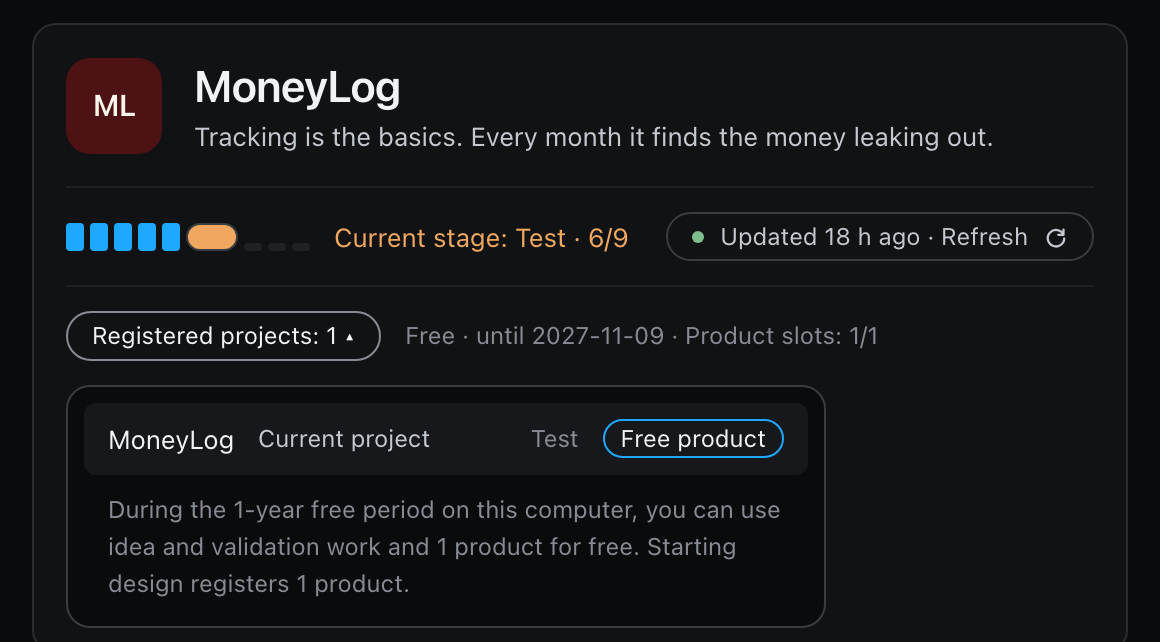
- One product slot, free for a year on this computer
- Start right away — no email, no card
- Free: up to 60 step-by-step guides per 24 hours — no limit with a pass
- From the second product it's paid — Full pricing
- A paid Claude plan — Pro, the cheapest, is $20 a month. Claude Code is included in every paid plan
- Apple's developer tools (free) — installed once. If they are missing, Nightflight tells you when a chat starts
Four promises Nightflight makes to you
What we send to our server: a computer identifier and a random ID, the product ID, the step and guide type, the language of the guide, your pass status and the access log. If you use a pass, we also send your purchase email, the confirmation code, the license key and the plan you are changing to. The full list and how we use it — Privacy policy
Plain text files you can open with or without a pass. If you agree to use the cockpit, a copy is uploaded to a private page in your own Claude account
We revise the guidance as store rules and AI models change; while the server assists you, you always get the latest
Nightflight regularly analyzes AI tools, upgrades its own features, and suggests what to try.
FAQ
Within a single chat, you can. But unlike answers in a chat, Nightflight lays out where your build stands on the cockpit screen, stage by stage. It also keeps what that role needs as records. Your decisions and their reasons, what was verified and what's marked "not checked," and how your features connect carry into every new chat — and at each stage it warns you about failures from real product builds.
No. Paste the install text into the Claude Code chat and Claude Code installs it. When it asks whether to go ahead, just say yes.
iPhone apps, Android apps and websites. For your first launch, we recommend picking one.
Yes. A product already in progress starts from the stage it's at.